A home screen made for the dash.
KM Launcher is a minimal Android home screen with large tiles and a low-distraction dark theme. It is the home screen KoalaMirror puts on your car, and it works on its own on any Android 8.0+ device.
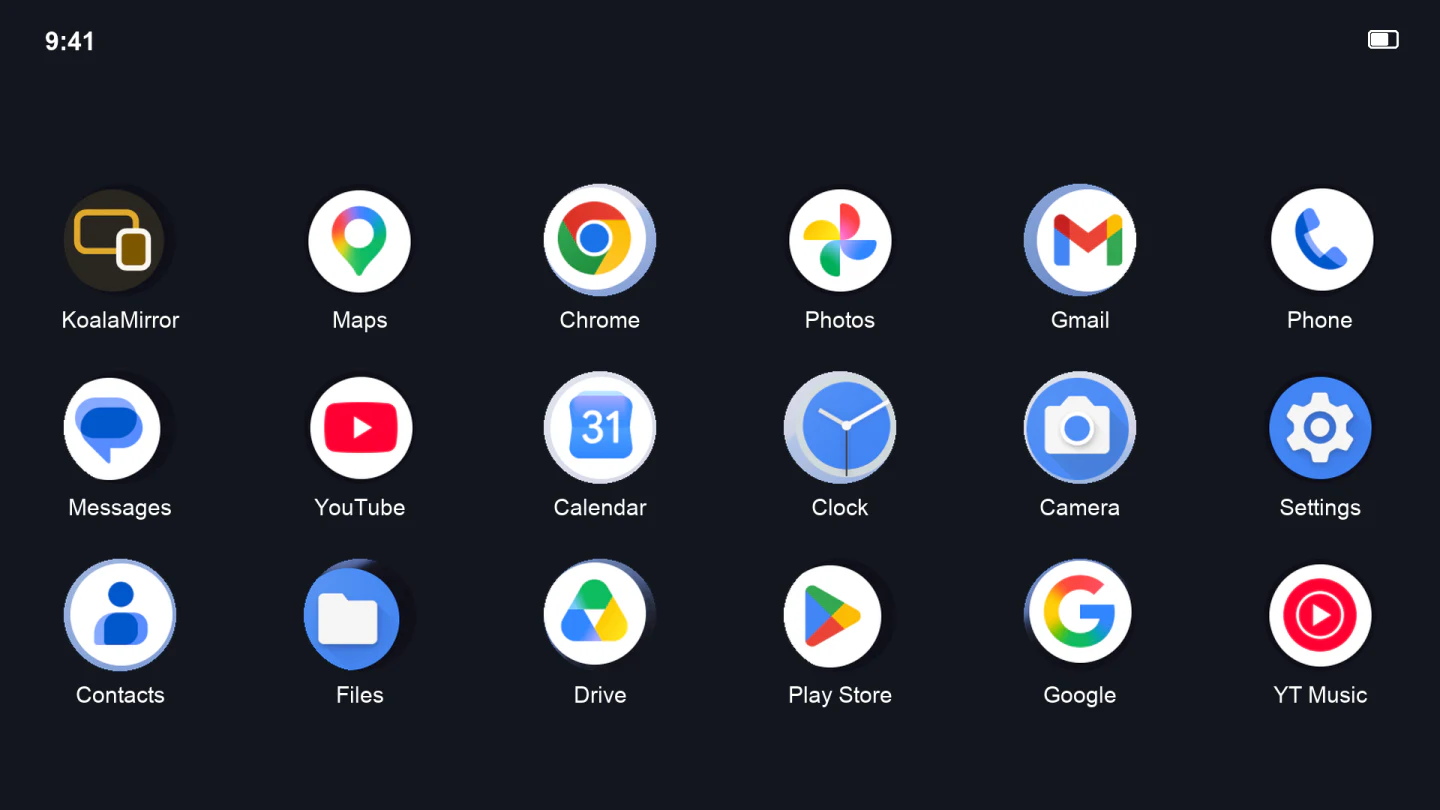
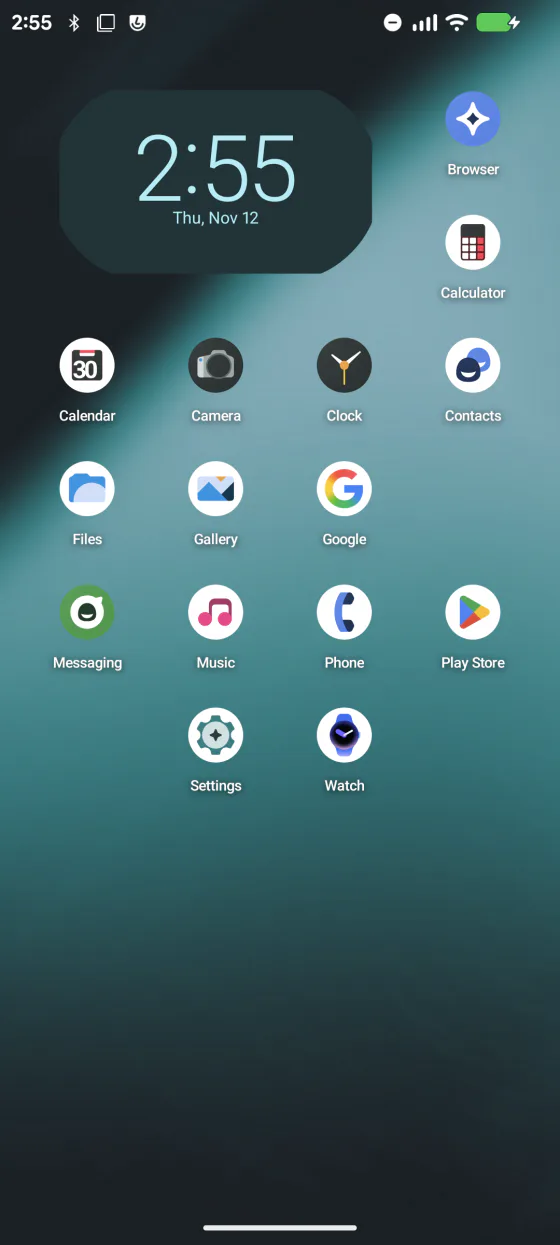
Built for a screen you reach for
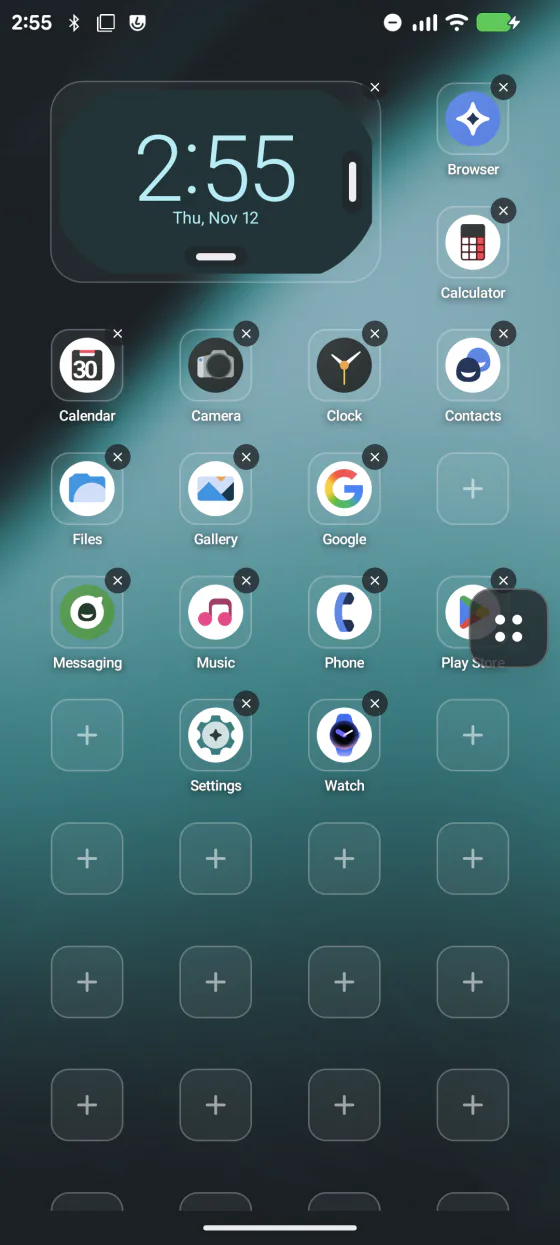
Large tiles on an editable grid
Big touch targets you can hit at arm's length. Drag to rearrange, and set the number of columns to suit the screen.
System widgets
Place Android app widgets on the grid, next to your apps.
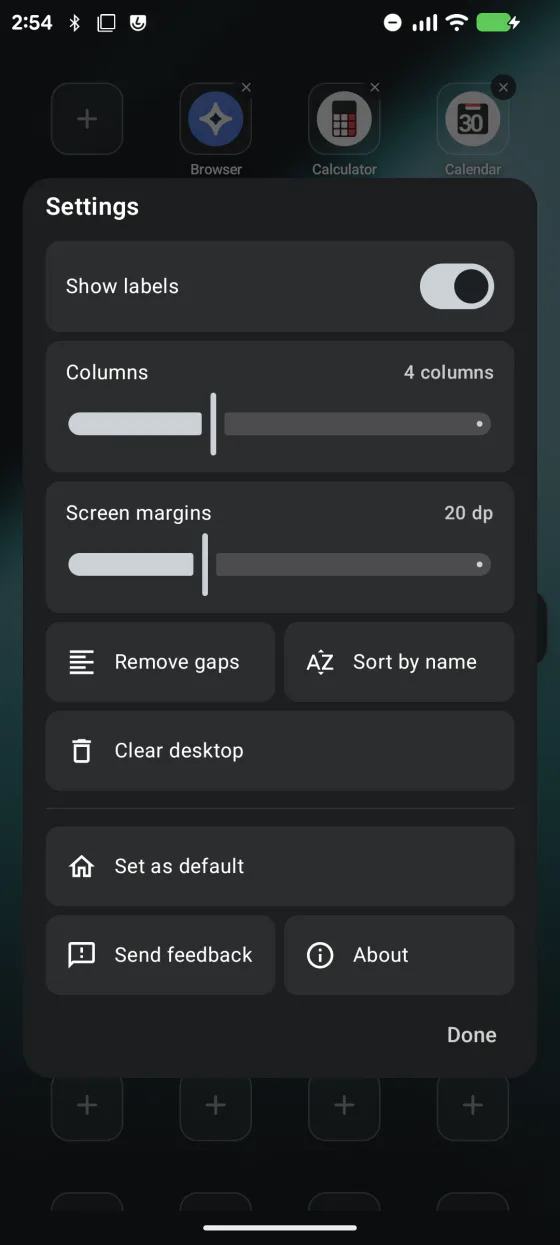
Tidy in one tap
Remove gaps or sort by name from Edit home. Widgets stay where they are.
Transparent over your wallpaper
The home screen is fully transparent, so your wallpaper, or the one KoalaMirror projects, shows through.
Only the apps you drive with
Clear the desktop in one step and add back the few you need. New apps land at the end, so your layout never shifts.
Knob and D-pad friendly
With KoalaMirror, a clear outline marks the selected app when you move with a rotary knob, D-pad or steering-wheel keys.
Three places it fits
One app, from a factory head unit to a tablet on the wall.
With KoalaMirror
It is the home screen on the car display, in the free Basic mode too.
On an Android head unit
Install it on an aftermarket Android head unit and make it the default home app.
On a tablet or spare phone
Any Android 8.0+ device: a wall panel, a kitchen tablet, a phone kept simple.
What you need
- Android 8.0 or newer
- No root needed
- Free on Google Play, with a direct APK for devices without it
KM Launcher's own menus are in English and Chinese. Your apps keep the names your system gives them.
Get KM Launcher
Free, for any Android 8.0+ device.